Understanding Payroll Item Frequency
Last updated: May 28, 2026
Overview
The Frequency setting determines how a benefit, allowance, deduction, or earning amount is applied during payroll processing. Selecting the appropriate frequency ensures amounts are calculated and distributed correctly across payroll runs.
The following frequency options are available:
Per Payroll
Per Month
Non-Recurring
Per Payroll
The Per Payroll frequency applies the configured amount on every payroll run. This option is typically used for recurring amounts that should remain consistent each pay cycle.
Example
If a benefit is configured as:
$50 Per Payroll
The employee receives or is deducted:
$50 on every payroll processed
If payroll is processed weekly, the amount applies weekly. If payroll is processed bi-weekly or semi-monthly, the amount applies each time payroll runs.
Percentage-Based Amounts
Percentage-based values only support the Per Payroll frequency option. This is because percentages are calculated based on payroll earnings for an individual payroll run. Monthly percentage calculations are not supported.
Common Use Cases
Recurring deductions
RRSP contributions
Fixed payroll allowances
Standard recurring benefits
Per Month
The Per Month frequency applies a total monthly amount and distributes that amount according to selected payroll rules. Unlike Per Payroll, the configured amount represents the total value intended for the month rather than for each payroll run.
Example
If a benefit is configured as:
$100 Per Month
The system determines how the $100 should be applied based on:
Payroll schedule frequency
Selected payroll distribution option
Date basis configuration
Monthly Distribution Options
When using Per Month, additional configuration options determine which payrolls within the month receive the amount. The following apply on options are available:
All Payrolls
Specific Payroll(s)
Last Payroll
Apply on All Payrolls
The Apply on All Payrolls option evenly distributes the monthly amount across all payrolls in the month.
Example — Weekly Payroll
A monthly amount of $100 is configured to apply on All Payrolls.
Result
Payroll | Amount Applied |
|---|---|
First Payroll of the Month | $25 |
Second Payroll of the Month | $25 |
Third Payroll of the Month | $25 |
Fourth Payroll of the Month | $25 |
Note: Because some payroll schedules may have a different number of payrolls each month, the distributed amount may vary between payroll runs. In the example above, if a month contains five payrolls instead of four, the amount would be distributed evenly across all five payrolls.
Selective Payrolls
The Selective Payrolls option allows the monthly amount to apply only on specific payrolls within the month. Instead of distributing the amount across all payrolls, selected payroll positions receive the amount.
Available selections may include:
First Payroll
Second Payroll
Third Payroll
Fourth Payroll
Last Payroll
Note: The available payroll selection options depend on the employee’s payroll schedule. For example, if a month contains four payrolls instead of five, the available options would only display First Payroll, Second Payroll, Third Payroll, and Last Payroll.
Example — Semi-Monthly Payroll
A monthly amount of $100 is configured to apply on the First Payroll only.
Result
Payroll | Amount Applied |
|---|---|
First Payroll of the Month | $100 |
Second Payroll of the Month | $0 |
Example — Weekly Payroll
A monthly amount of $100 is configured to apply on the First Payroll and Third Payroll.
Result
Payroll | Amount Applied |
|---|---|
First Payroll of the Month | $50 |
Second Payroll of the Month | $0 |
Third Payroll of the Month | $50 |
Fourth Payroll of the Month | $0 |
No amount applies on the remaining payrolls.
Last Payroll
The Last Payroll option applies the monthly amount on the final payroll occurring within the month. This option is useful when payroll amounts should only process once the final payroll of the month is reached.
Example - Weekly Payroll
A monthly amount of $100 is configured to apply on the Last Payroll only.
Result
Payroll | Amount Applied |
|---|---|
First Payroll of the Month | $0 |
Second Payroll of the Month | $0 |
Third Payroll of the Month | $0 |
Last Payroll of the Month | $100 |
Note: For payroll schedules where the number of payrolls changes between months, the system automatically determines which payroll is considered the last payroll.
Date Basis
The Date Basis setting determines how the system identifies which payroll belongs to a specific month.
This affects payroll selections such as:
First Payroll
Last Payroll
Selective Payroll distribution
The available date basis options are:
Pay Date
Period Start Date
Period End Date
Pay Date
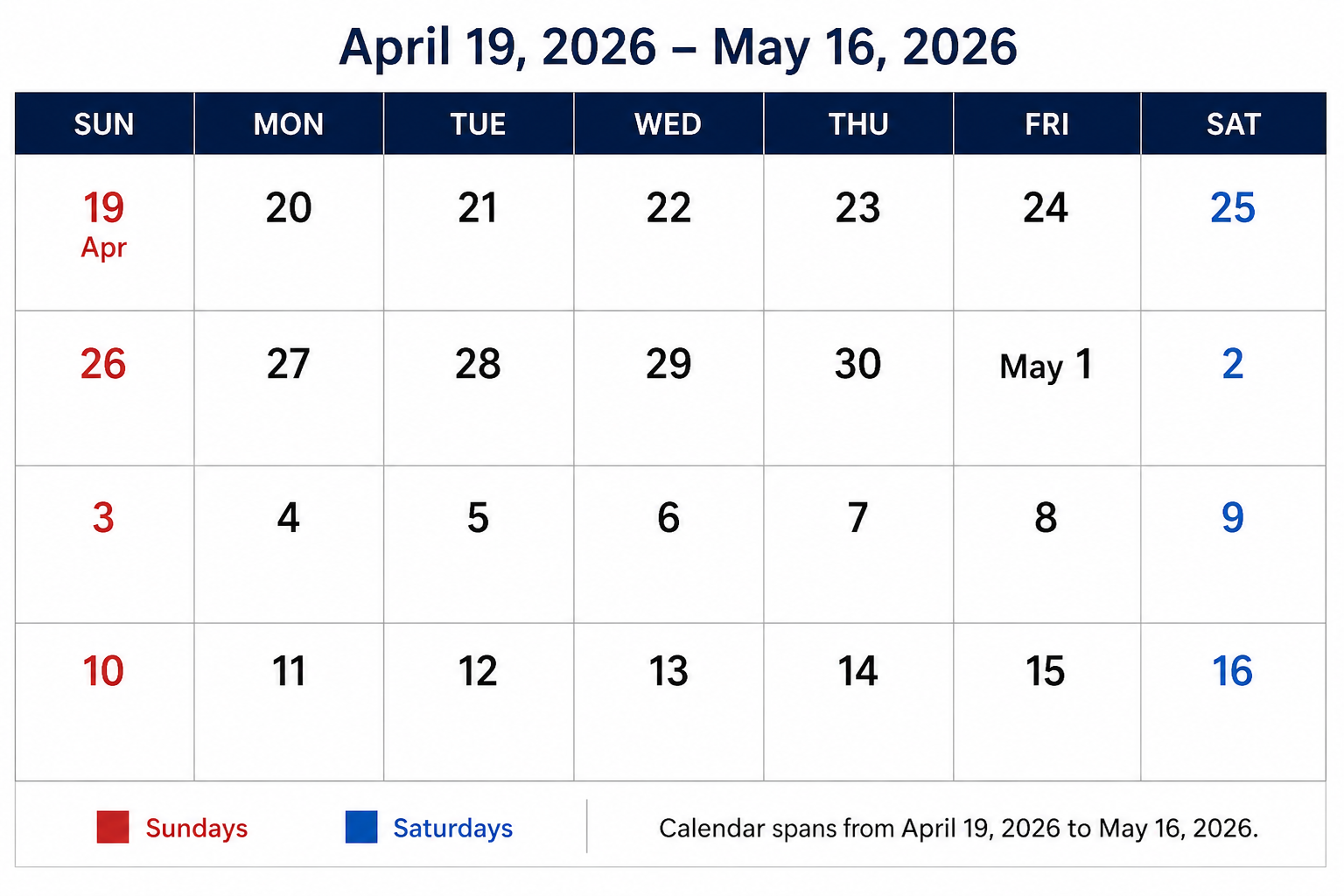
When using Pay Date, payrolls are assigned to a month based on the payroll payment date.
This option is commonly preferred when organizations think about payroll timing based on when employees are paid.
Example
Item | Value |
|---|---|
Payroll Period | April 28 2026 – May 4 2026 |
Pay Date | May 8 2026 |
Payroll Considered As | First Payroll of May 2026 |
Period Start Date
When using Period Start Date, payrolls are assigned to a month based on the payroll period start date.
This option is commonly used when organizations track payroll according to worked periods rather than payment timing.
Example
Item | Value |
|---|---|
Payroll Period | April 28 2026 – May 4 2026 |
Pay Date | May 8 2026 |
Payroll Considered As | Last Payroll of April 2026 |
Period End Date
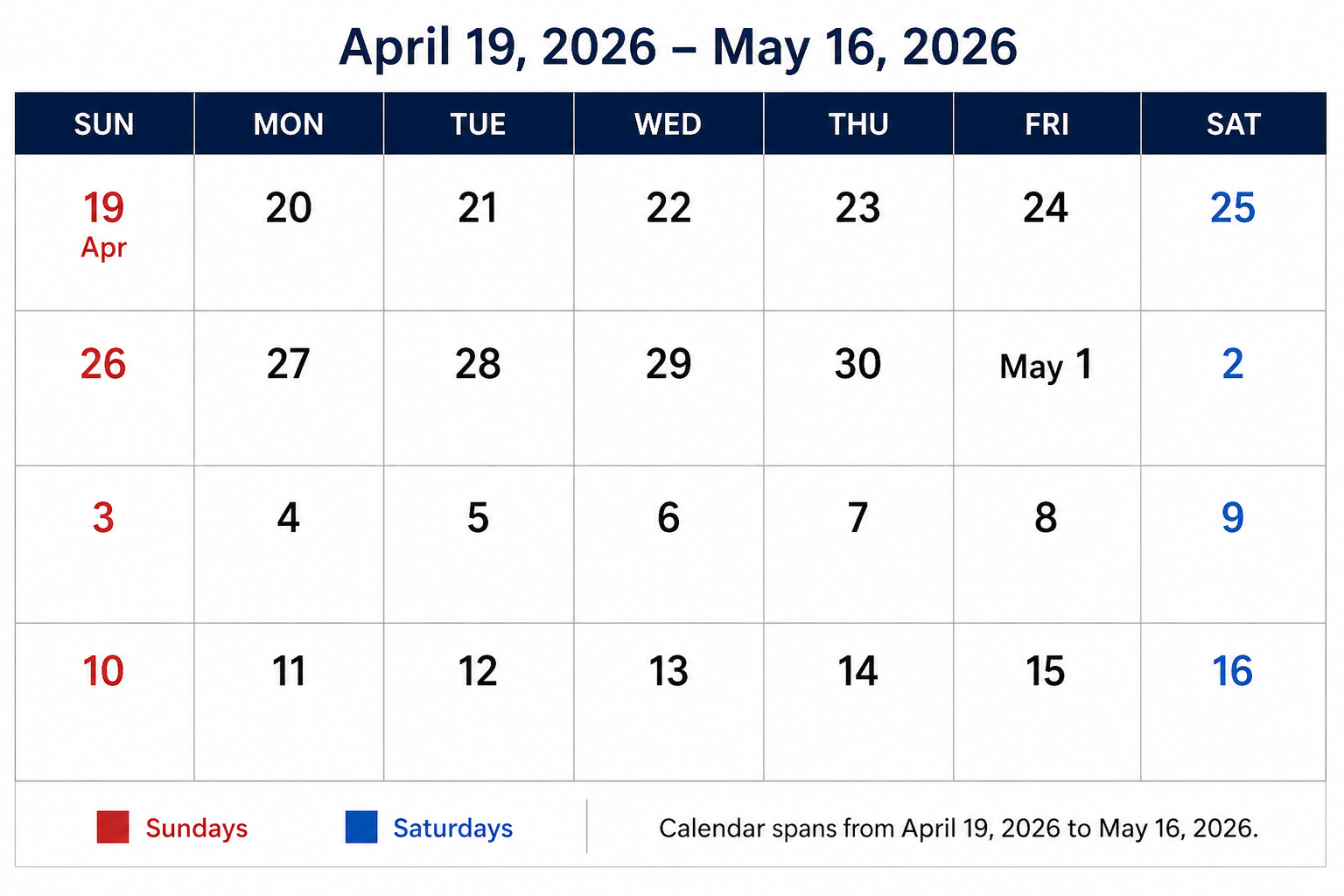
When using Period End Date, payrolls are assigned to a month based on the payroll period end date.
This option is commonly used when organizations want payrolls grouped according to when the payroll period finishes.
Example
Item | Value |
|---|---|
Payroll Period | April 28 2026 – May 4 2026 |
Pay Date | May 8 2026 |
Payroll Considered As | First Payroll of May 2026 |
Why Date Basis Matters
Date Basis directly impacts:
Which payroll is identified as the first payroll of the month
Which payroll is identified as the last payroll of the month
How monthly amounts are distributed
Different organizations may interpret payroll timing differently, which is why both options are available.
Important Considerations
Percentage-based values cannot use the Per Month frequency option.
Monthly distributions may vary depending on payroll schedule frequency.
Weekly payroll schedules may produce different split amounts across months.
Existing configurations created before the updated frequency enhancements may default to historical behaviour settings.
Missed payroll occurrences are not automatically prorated retroactively.
Changing frequency settings mid-month may produce unexpected distribution results.
Summary
Frequency settings determine how payroll amounts are applied across payroll runs.
Per Payroll applies amounts every payroll run.
Per Month distributes a monthly amount according to selected payroll rules.
Non-Recurring applies an amount one time only.
Additional monthly configuration options, including payroll selection and date basis, provide greater control over how monthly amounts are distributed across payroll schedules.