Historical Payroll
Last updated: January 18, 2026
The Historical Payroll feature allows payroll administrators to record year-to-date payroll totals from a previous system or off-platform payroll history in the component. This ensures employee tax calculations, statutory withholdings, and reporting remain accurate when payroll is started mid-year or after a payroll system migration.
What Is a Historical Payroll?
Historical Payroll lets you enter prior earnings, taxes, and statutory withholding contributions that occurred before payroll was run in the system. These values are stored as historical balances and are included in year-to-date totals, without issuing payments or remitting funds again.
This feature is designed for data continuity, not payroll processing.
What Gets Recorded?
Payroll admins can enter historical totals for:
Gross earnings
Taxable allowances and benefits
Employee and employer statutory withholding contributions
Employee Federal and Provincial income tax withheld
Other payroll deductions as applicable such as union dues and garnishments
Vacation accrual balances
These values are added to the employee’s year-to-date totals and are treated as already-paid or deducted amounts.
What Historical YTD Payroll Does Not Do
It’s important to note that Historical YTD Payroll:
Does not generate payments to employees
Does not create remittances
Does not appear as a regular payroll run
Does not move money
It is strictly an accounting and reporting adjustment.
How It Impacts Payroll Runs
Once historical YTD values are entered:
Future payrolls calculate deductions correctly based on updated YTD totals
Statutory maximums and exemptions are respected
Year-end reporting reflects the full calendar-year payroll history
The system treats historical amounts as if they were already processed earlier in the year.
Important Things to Know
Historical YTD entries should be added before running the first payroll in the system
Values should match records from the prior payroll provider
Changes to historical YTD data can impact tax calculations and reporting
Accuracy is critical—incorrect entries may result in incorrect remittances or tax slips
Creating a Historical YTD Payroll
To create a Historical YTD Payroll, follow these steps:
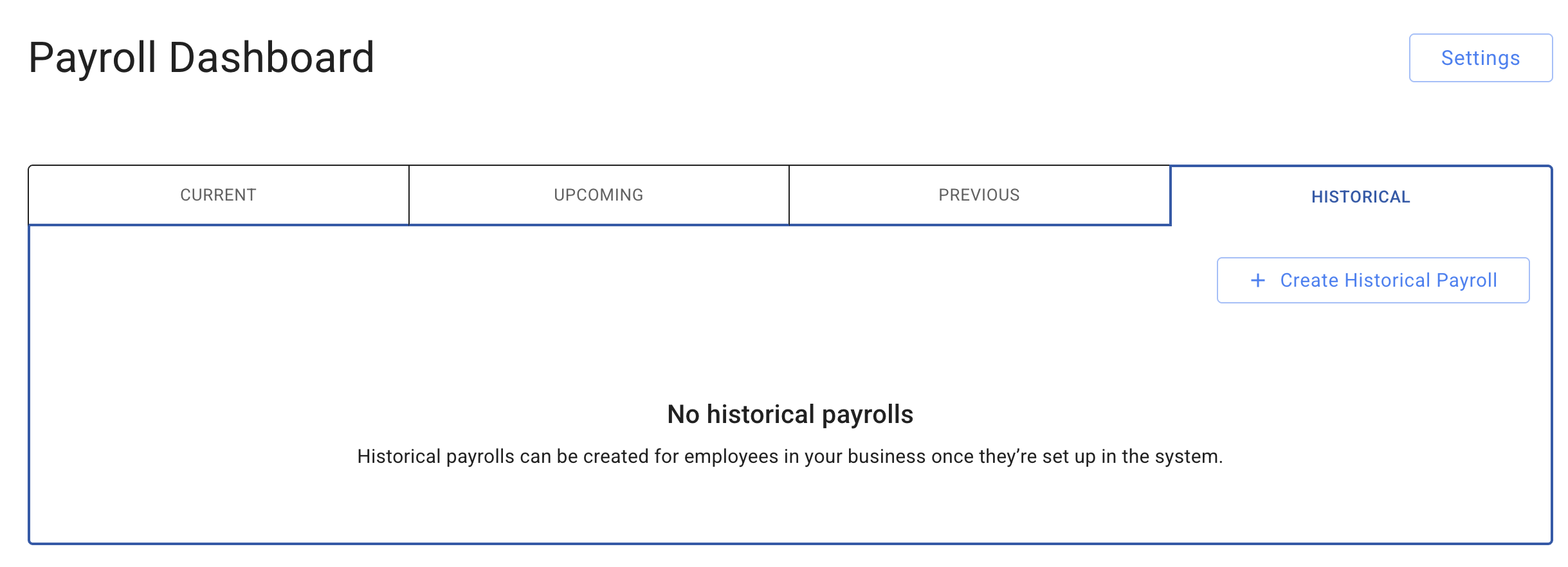
Navigate to Payroll Dashboards → Historical.
Select Create Historical Payroll.
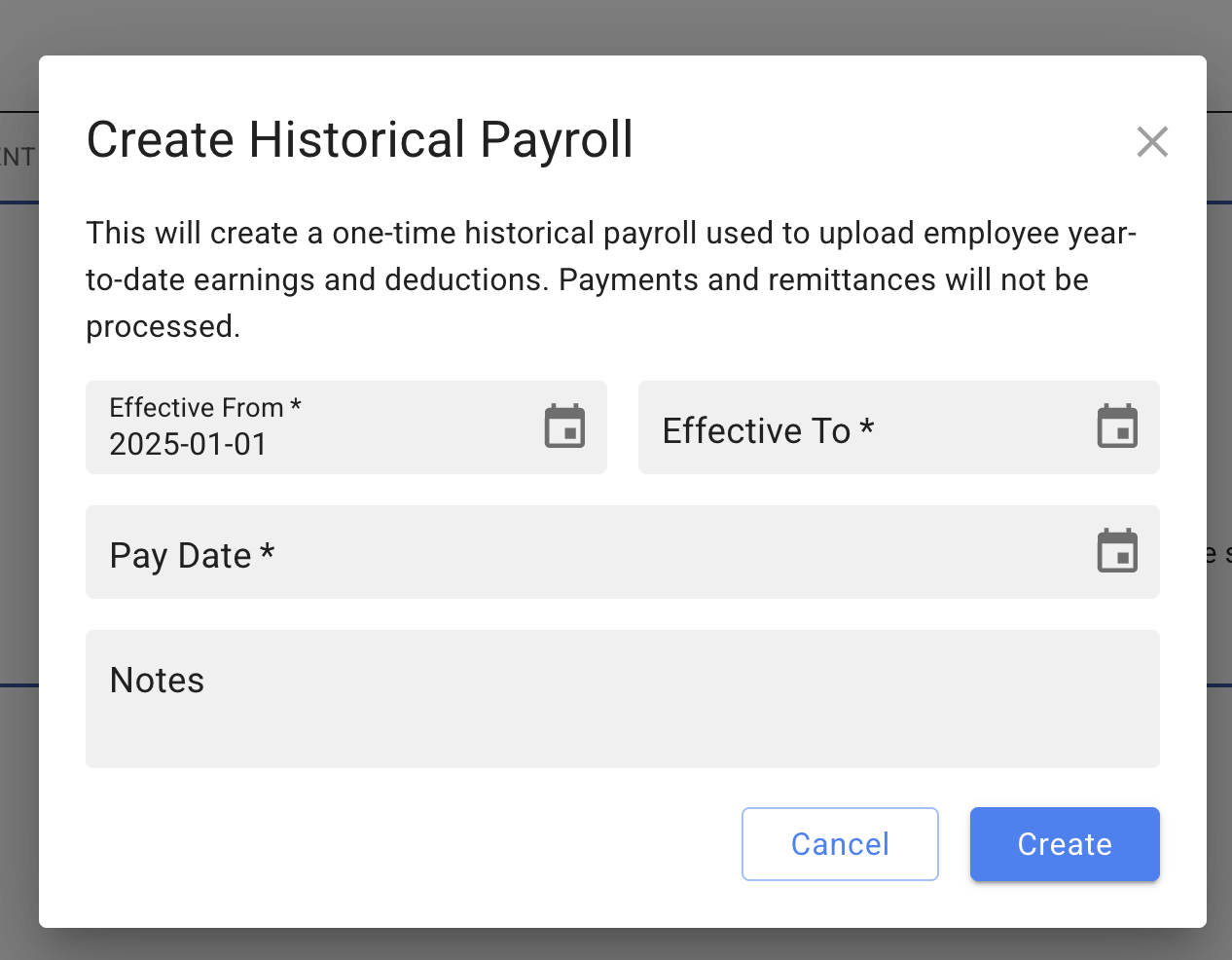
Enter the required Effective From date, Effective To date, and Pay Date.
You may also add an optional note for reference.
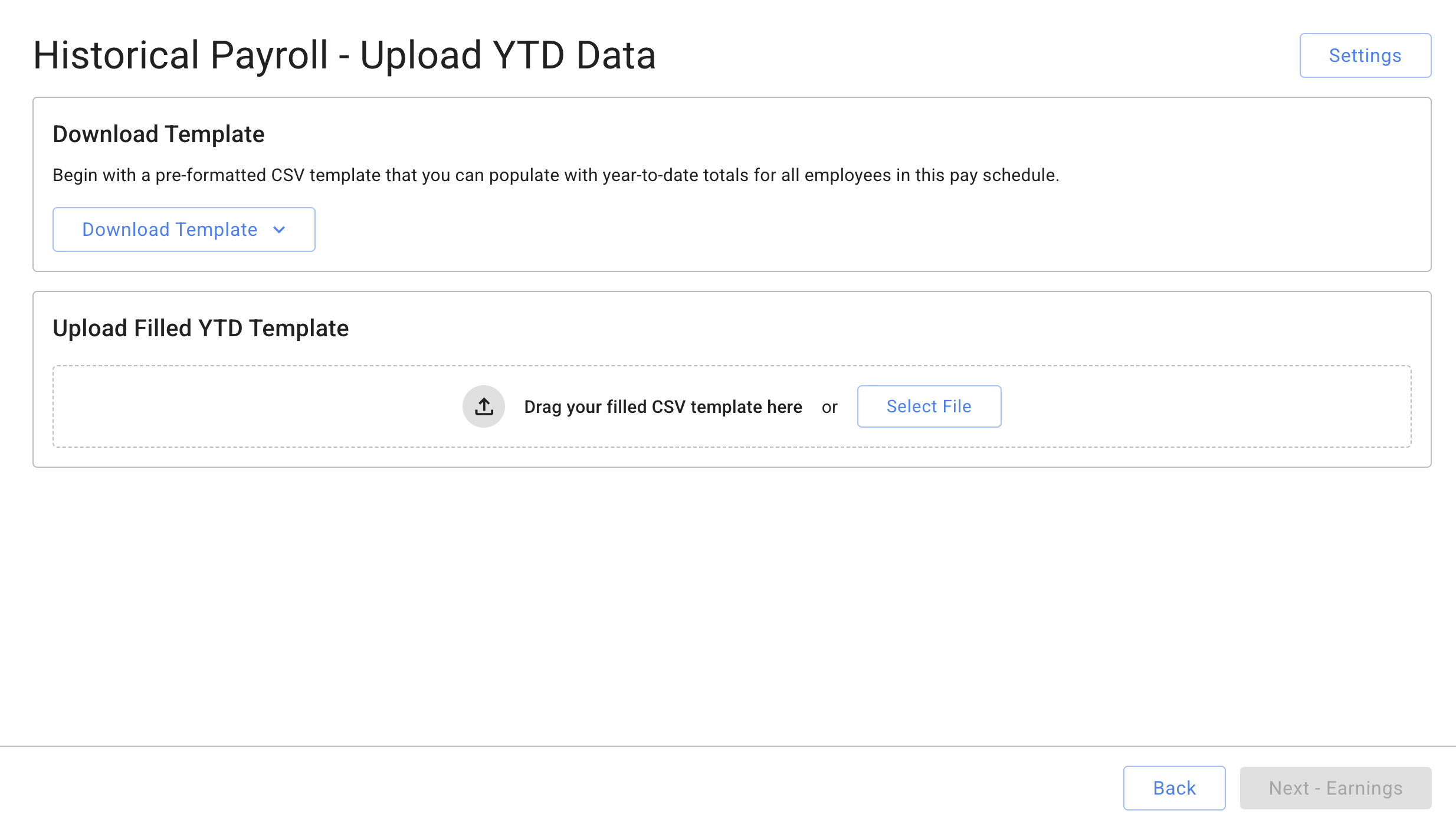
Download a YTD csv template, complete it with the appropriate year-to-date payroll values, then upload the file.
You may choose between two templates: Preset or All Types
Select Next – Earnings to continue.
The uploaded YTD data will be populated into the pay run flow.
You can edit, delete, or add earnings, deductions, and add line items as needed.
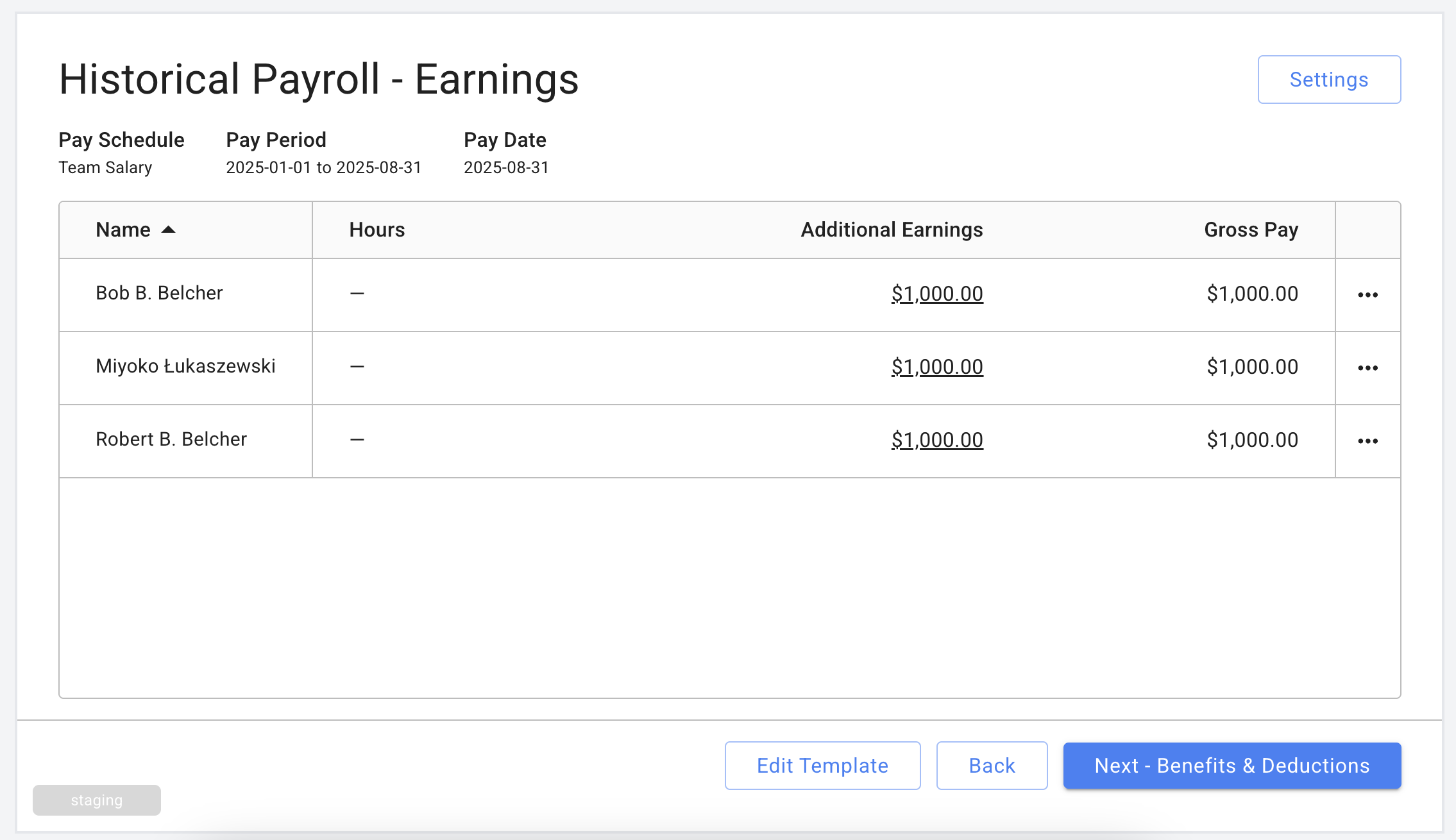
Continue through the payroll flow to complete the historical payroll upload.